


Your workstation geometry is not a comfort issue. It's a physiological variable with direct, documented effects on cortisol secretion, respiratory function, cognitive performance, and even testosterone. The mechanisms are well-established in the ergonomics and neuroendocrinology literature. The problem is that most ergonomics advice is built around injury prevention, not performance optimization – so it stops at "don't hurt yourself" rather than "extract maximum output from your setup."
This article breaks down the mechanisms and gives you a precise setup protocol.
The Cortisol Connection: How Posture Drives Hormonal Output
The relationship between posture and cortisol isn't metaphorical – it's physiological, operating through several converging pathways.
Postural Compression and the Stress Response
Sustained forward head posture – the consequence of a monitor that's too low, too far away, or both – places the cervical spine in chronic flexion. This activates the posterior neck musculature isometrically for hours at a time. Prolonged low-grade muscular tension in this region stimulates the sympathetic nervous system through mechanoreceptors in the cervical paraspinal muscles and their connections to the brainstem. The result is a sustained, low-amplitude stress signal that the HPA (hypothalamic-pituitary-adrenal) axis interprets as threat-level input, elevating cortisol output across the workday.
Research at Harvard Business School by Amy Cuddy and colleagues demonstrated that postural configuration directly modulates hormonal output – with expansive, upright postures increasing testosterone and reducing cortisol, and contracted, slouched postures producing the inverse pattern within minutes. The specific effect sizes have been debated in replication studies, but the directional finding – that postural collapse elevates cortisol and reduces testosterone – has remained consistent across multiple independent research groups.
Diaphragmatic Restriction and CO2 Accumulation
Desk height that forces the trunk into forward lean or causes the ribcage to compress against the desk edge directly impairs diaphragmatic excursion. When the diaphragm can't descend fully on inhalation, tidal volume decreases and the body compensates by increasing respiratory rate. Shallow, rapid breathing shifts the body toward sympathetic dominance, increases CO2 washout (causing relative hypocapnia), and triggers vasoconstriction and heightened nervous system arousal – all cortisol-elevating mechanisms.
This is not a subtle effect. A desk that's 2–3 inches too high or a chair height that creates a compressed trunk-to-thigh angle can meaningfully restrict breathing mechanics across an entire workday. The cumulative neuroendocrine impact of 8 hours of restricted diaphragmatic breathing is significant and entirely avoidable.
The Gaze Angle and Alertness System
Where you hold your gaze has a direct effect on arousal and cognitive state through the vestibular and reticular activating systems. Downward gaze – produced by a monitor positioned below neutral eye level – activates a calming, parasympathetic bias via the otolithic organs of the inner ear. This is why a slightly downward gaze (5–15 degrees below horizontal) is associated with relaxed reading states rather than high-alert executive function. Conversely, a monitor at or slightly above eye level produces an upward gaze vector that activates the reticular activating system more robustly, increasing alertness and sustained attention capacity.
The research on gaze angle and cognitive performance suggests that for tasks requiring high executive function output – analytical work, writing, strategic thinking – a monitor positioned at or very slightly above neutral eye level (top of screen at eye level, or screen center slightly above eye level) produces better sustained attention metrics than a monitor positioned low, even though the low monitor position may feel comfortable for extended periods.
The Focus Degradation Pathway
Cortisol and focus are not independent variables. Sustained elevated cortisol preferentially damages the prefrontal cortex – the structure responsible for working memory, executive function, task switching, and impulse control. This is well-documented in the stress neuroscience literature: acute cortisol elevation redirects neural resources from the PFC to the amygdala, shifting the cognitive operating mode from analytical to reactive.
In practical terms: a workstation that chronically elevates cortisol through poor posture, restricted breathing, and sympathetic activation isn't just making you slightly uncomfortable. It's degrading the neural substrate of your best thinking, hour by hour, across the workday. The effect accumulates. By mid-afternoon, a man in a poorly configured workstation is operating on a meaningfully smaller cognitive budget than his setup warrants.
Desk Height: The Correct Calibration
The standard ergonomic formula for desk height is to adjust so that when seated with your feet flat on the floor, your elbows rest at a 90–100 degree angle with your forearms parallel to the desk surface or sloping very slightly downward. This positions the shoulder in a neutral, unloaded state and allows the wrists to remain straight during keyboard use.
In practice, the correct desk height for most men ranges from 27–30 inches for seated work, heavily dependent on height and chair height. The typical fixed desk at 29–30 inches is appropriate for men around 5'10"–6'2" in a standard chair. Shorter or taller men almost certainly need to adjust – either through chair height (with a footrest if legs no longer reach the floor), a desk riser, or a height-adjustable desk.
The common error is sitting in a chair that's too low relative to a fixed desk, forcing the arms to reach upward to the keyboard. This loads the upper trapezius and elevates the shoulder girdle for hours, a direct pathway to cervical tension and the cortisol-elevating sympathetic activation described above.
Standing Desk Protocol
Standing desks are legitimate performance tools when used correctly. The evidence does not support standing all day as superior to sitting all day – both postures sustained for prolonged periods have negative outcomes. The optimized protocol is posture variation at roughly 25–35 minute intervals: sit, stand, sit, move. Standing is particularly useful for lower-intensity cognitive tasks, calls, and review work. For high-demand focus work requiring maximum working memory capacity, a well-configured seated position is generally more appropriate because it minimizes the metabolic and attentional cost of maintaining postural stability.
Standing desk height should be calibrated the same way as seated – elbows at 90–100 degrees, forearms parallel to the desk surface. Most people set standing desks too low when transitioning from a seated setup.
Monitor Position: Precise Setup Parameters
Height
The top edge of your monitor should be at or very slightly below eye level. This places the center of the screen at approximately 10–15 degrees below horizontal gaze – within the range that supports both comfortable neck posture and sufficient gaze-angle-based alertness. Monitors positioned significantly lower (as with a laptop on a flat desk, or a monitor stand that's too short) force the head into sustained forward flexion and produce the downward gaze vector that reduces executive arousal.
For ultrawide or multi-monitor setups, the height calibration applies to the center of your primary work area. A dual-monitor setup where one screen is notably higher than the other forces constant cervical lateral flexion and rotation – a bilateral tension pattern that contributes to the same sympathetic activation pathway.
Distance
The correct monitor distance is the point at which you can read content without leaning forward or squinting – typically 20–30 inches for standard monitors, with larger screens requiring more distance proportionally (a 34-inch ultrawide at 20 inches creates excessive visual field demands and triggers more frequent eye movement, increasing cognitive load). The rule of thumb is to extend your arm toward the screen; your fingertips should nearly touch the display.
A monitor that's too close compresses the visual field, increases blue light exposure per unit area, and activates accommodative stress in the eyes – all of which contribute to neural fatigue over a work session. A monitor too far requires sustained muscular effort to read fine detail, introducing a low-level stress signal that compounds across hours.
Tilt
Monitor tilt should be set so the screen is perpendicular to your sightline – neither tilted toward you nor away. The typical recommendation is 10–20 degrees of rearward tilt to account for the slightly downward gaze angle at which most people view the center of the screen. This minimizes glare from overhead lighting and keeps the neck in a neutral position.
Setup Protocol: Step-by-Step Calibration
Step 1 – Chair height: Adjust so feet rest flat on the floor (or on a footrest if needed). Thighs should be parallel to the floor or sloping very slightly downward. There should be no pressure from the seat edge on the underside of the thighs.
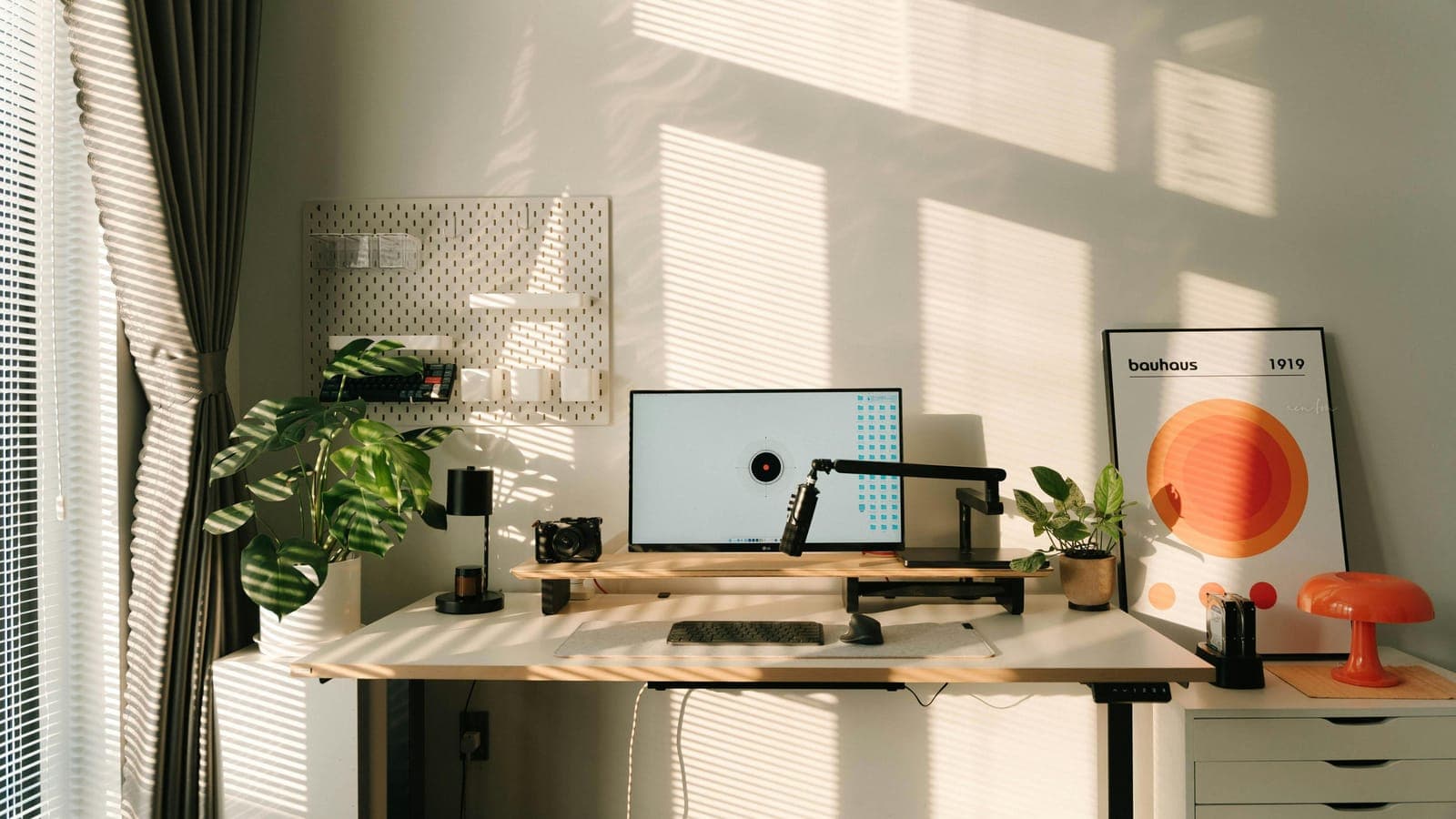
Step 2 – Desk height: Elbows at 90–100 degrees when resting on the desk. Forearms parallel to desk surface or angled slightly downward. If using a fixed desk that's too high, raise the chair and add a footrest. If the desk is too low, a monitor arm and keyboard riser can compensate partially, but a height-adjustable desk is the correct solution.
Step 3 – Monitor height: Top of the screen at eye level. Use a monitor arm – not a fixed stand – for precise height adjustment. Arms allow you to quickly recalibrate when switching between sitting and standing positions on a height-adjustable desk.
Step 4 – Monitor distance: Arm's-length from your seated position. For a 27-inch monitor, this is typically 24–28 inches. For a 34-inch ultrawide, 30–36 inches.
Step 5 – Keyboard and mouse position: Directly in front of you, within easy reach without shoulder extension. A keyboard tray can be valuable if your desk height doesn't allow a neutral wrist position without one.
Step 6 – Posture variation: Set a timer for 25–35 minute intervals. Stand, move briefly, then return. Use a standing desk if available. This interval matches the Pomodoro framework and aligns with ultradian rhythm research suggesting 90-minute focus cycles with built-in low-intensity recovery periods.
What Doesn't Work
Lumbar supports and ergonomic chairs marketed as posture solutions address the downstream symptom (lumbar discomfort) without fixing the root cause (incorrect desk and monitor height). A $1,500 ergonomic chair in a poorly configured workstation still produces forward head posture and cortisol elevation if the monitor is too low.
Monitor arms with inadequate range of motion – those that only allow a few inches of height adjustment – are not substitutes for a properly configured setup. Invest in a full-range monitor arm (Amazon Basics, Ergotron LX, or similar) that allows 10+ inches of vertical travel.
Wrist rests used during active typing create wrist extension and compress the carpal tunnel rather than preventing it. Wrist rests are appropriate during pauses – not during keystrokes.
Expected Outcomes and Timeline
Workstation recalibration is not a supplement with a 4-week loading phase. You will notice the difference within the first full workday of a correct setup – primarily reduced cervical and upper trapezius tension by mid-afternoon, and frequently improved sustained attention in the final hours of the workday when cognitive fatigue typically sets in hardest.
Cortisol normalization from chronic postural stress takes longer to fully resolve – roughly 2–4 weeks of sustained correct positioning, provided no other significant cortisol inputs are present. Men who have been in dysfunctional workstation setups for years will likely notice improved afternoon energy and reduced cortisol-driven decision fatigue within 2–3 weeks of correction.
The clearest performance signal to track is cognitive output in the final 2 hours of your work session. If your thinking remains sharp at hour 6–8 where it previously degraded significantly, your setup is working.
FAQ
Does a standing desk alone fix the cortisol issue? No. A standing desk at the wrong height with a monitor too low produces the same forward head posture as a seated setup configured incorrectly. The geometry matters more than the mode. A standing desk used correctly is a valuable tool; used without proper calibration, it moves the problem without solving it.
What's the fastest way to assess whether my current setup is off? Sit in your normal working position after 2–3 hours of work and assess: is your chin jutting forward, head ahead of your shoulders? Are your shoulders elevated or rounded? Is there tension in the posterior neck or upper traps? Any of these indicates misalignment that's producing sympathetic activation. Take a photo from the side – most people are surprised by how significant the forward head displacement is when they see it objectively.
Do monitor arms make a meaningful difference over fixed stands? Yes, primarily because fixed stands rarely hit the correct height for a specific individual's seated position, and they can't be recalibrated for a standing desk position. An Ergotron LX arm (~$45–60) is one of the highest ROI home office investments available.
Is blue light from monitors a cortisol factor? Blue light is primarily a circadian concern – it suppresses melatonin when exposed in the evening, disrupting sleep architecture and thereby elevating cortisol the following day through sleep debt mechanisms. During daytime work hours, the direct cortisol effect of blue light is secondary to the postural and gaze-angle variables discussed here. That said, a screen brightness calibrated to ambient light (not maximum brightness) reduces visual fatigue across a work session.
Does this apply to laptop-only setups? Laptop-only is the worst-case workstation configuration for posture. When the screen is at a usable height, the keyboard is too high. When the keyboard is at a usable height, the screen is too low. The correct solution for a laptop as a primary work device is an external keyboard and mouse with the laptop elevated to monitor height, or an external monitor. There is no ergonomic configuration for a laptop flat on a desk that doesn't compromise either screen height or keyboard height.
📚 Sources
Cuddy AJ, Wilmuth CA, Yap AJ, Carney DR – Preparatory Power Posing Affects Nonverbal Presence and Job Interview Performance (Psychological Science): https://journals.sagepub.com/doi/10.1177/0956797614522816
NIOSH – Work Organization and Stress-Related Disorders: https://www.cdc.gov/niosh/topics/ergonomics/default.html
OSHA – Computer Workstations eTool: Monitors: https://www.osha.gov/etools/computer-workstations/components/monitors
Straker L, et al. – Effect of monitor height on upper body musculoskeletal discomfort (Ergonomics): https://www.tandfonline.com/doi/abs/10.1080/00140130500100750
McEwen BS – Physiology and Neurobiology of Stress and Adaptation (Physiological Reviews): https://journals.physiology.org/doi/10.1152/physrev.00041.2006
Sapolsky RM – Why Zebras Don't Get Ulcers – HPA axis and chronic stress: https://www.robertsapolskyauthor.com/why-zebras-dont-get-ulcers
Arnsten AFT – Stress signaling pathways that impair prefrontal cortex structure and function (Nature Reviews Neuroscience): https://www.nature.com/articles/nrn2648
Hedge A – Ergonomic Workplace Design for Health, Wellness and Productivity (Cornell Human Factors and Ergonomics Lab): https://ergonomics.cornell.edu
ASHRAE – Thermal Comfort and Cognitive Performance: https://www.ashrae.org/technical-resources/bookstore/indoor-air-quality-guide
Davis KG, Kotowski SE – Postural variability: An effective way to reduce musculoskeletal discomfort (Human Factors): https://journals.sagepub.com/doi/10.1177/0018720814528003